
A free, self-hosted AI studio with 200+ unfiltered
Open Sourceaivideoimageself-hosted
Free
Video & Animation
In the modern era of remote work and digital communication, managing the constant influx of emails, appointments, and documents can be an overwhelming daily struggle. Enter CC, an innovative AI productivity agent designed to act as a centralized hub for your personal and business workflows. Created by Google Labs, CC aims to alleviate the friction of context switching by seamlessly connecting three of the most widely used Google Workspace applications: Gmail, Google Calendar, and Google Drive. At its core, CC is built for professionals, freelancers, and anyone heavily entrenched in the Google ecosystem who wants to reclaim their time. By leveraging advanced artificial intelligence, the platform transforms how users interact with their daily digital workspace. So, how exactly does it function? CC operates as an intelligent orchestrator that breaks down the traditional silos between your emails, schedules, and files. For instance, one of the most powerful features of this tool is its Gmail integration, which goes far beyond simple inbox sorting. CC can automatically categorize incoming messages, summarize lengthy email threads, and even draft contextually appropriate responses on your behalf. This email management system is directly tied to its Google Calendar synchronization. When a conversation requires a meeting, CC can intuitively suggest scheduling options and create calendar events straight from your email interface, ensuring you never miss a beat. Furthermore, its connectivity extends into Google Drive, allowing users to easily search for, retrieve, and summarize documents. Instead of manually digging through endless folders to find a specific file referenced in an email, CC's AI-driven task management locates the information for you. This cross-platform workflow automation fundamentally streamlines daily operations, turning chaotic routines into highly organized processes. The advantages of adopting CC are immediately apparent. Its deep integration with essential Google apps means it fits naturally into existing workflows rather than forcing users to learn an entirely new software suite. By automating routine tasks like email triage and meeting scheduling, CC significantly boosts overall productivity. Moreover, because it is backed by Google's cutting-edge AI technology, users can expect a high degree of accuracy and reliability in its automated suggestions. However, adopting this powerful assistant does come with a significant trade-off. To function effectively, CC requires users to grant extensive access permissions to their personal Google data. For individuals or businesses concerned about privacy and data security, granting deep access to emails, schedules, and personal files might be a considerable barrier. Despite this privacy consideration, CC remains a groundbreaking tool for workflow automation. Best of all, this robust productivity enhancement is completely free to use, making it an incredibly attractive option for users looking to optimize their daily digital interactions.
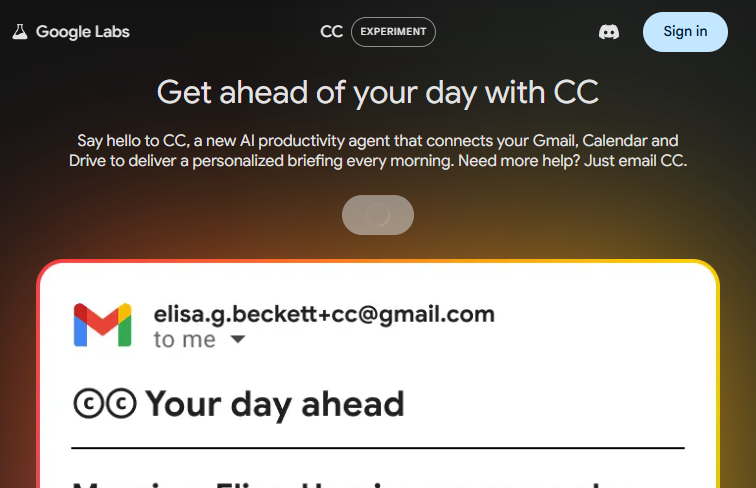 Screenshot
Currently available as a free experimental tool via Google Labs.
Summarized from the official site: https://labs.google/cc/
CC is a free AI productivity agent created by Google Labs that connects Gmail, Google Calendar, and Google Drive. It acts as a centralized hub to help professionals manage emails, schedules, and documents.
Yes, CC is completely free to use. This makes it an attractive option for users looking to enhance their productivity at no cost.
CC was created by Google Labs. It is backed by Google's cutting-edge AI technology to ensure high accuracy and reliability in its suggestions.
CC seamlessly connects Gmail, Google Calendar, and Google Drive. This cross-platform integration allows it to automate workflows like summarizing emails, creating calendar events, and retrieving files.
Yes, CC requires users to grant extensive access permissions to their personal Google data to function effectively. This deep access to emails, schedules, and files might be a considerable barrier for those concerned about privacy.
A free, self-hosted AI studio with 200+ unfiltered

Optimize and secure AI coding agents with this ope

Objective, community-driven leaderboard for text-t

Generate highly realistic AI images from text with