
A free, self-hosted AI studio with 200+ unfiltered
Open Sourceaivideoimageself-hosted
Free
Video & Animation
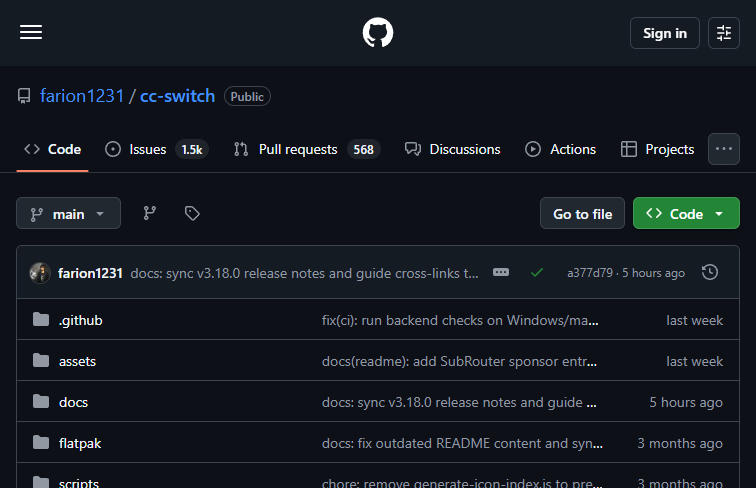
In the rapidly evolving landscape of software development, AI coding assistants have become indispensable. However, with so many powerful options available—such as Claude Code, Codex, and Grok Build—developers often find themselves juggling multiple interfaces, terminals, and configurations just to leverage the unique strengths of each model. Enter cc-switch, an innovative, open-source desktop application designed to bring your entire AI coding workflow under one unified roof. Built with Rust and available on GitHub, cc-switch acts as a centralized hub for managing a wide array of popular AI coding agents, including OpenCode, OpenClaw, and Hermes Agent. The primary value proposition of this tool is its ability to consolidate these disparate AI resources into a single, cohesive cross-platform desktop environment. Whether you are building complex applications that require different AI capabilities or you simply want a streamlined workspace, cc-switch eliminates the constant friction of switching between different tools. The core functionality revolves around its all-in-one unified interface, allowing developers to seamlessly transition between various coding assistants during the development cycle. This centralized workflow management means you can rely on one agent for a specific task, then instantly pivot to another without ever leaving the application window. Unsurprisingly, cc-switch is specifically tailored for software developers, AI researchers, and tech enthusiasts who actively utilize multiple large language models in their daily routines. It is especially beneficial for teams handling cross-platform projects who need a reliable, unified desktop application to keep their various AI-driven tasks organized. One of the most significant advantages of cc-switch is that it is completely free and open-source, lowering the barrier to entry for individual developers and large teams alike. Furthermore, its cross-platform support ensures that regardless of your preferred operating system, you can maintain a consistent and highly productive coding environment. Despite its impressive capabilities, there is a slight learning curve to consider. Because the tool integrates several complex APIs and local agents, initial setup and configuration may require some technical knowledge. Users will need to be comfortable configuring their own environments to get everything running smoothly. Nevertheless, for those willing to navigate the setup, cc-switch offers an unparalleled level of convenience, transforming a chaotic multi-agent workflow into a highly efficient, centralized development powerhouse.
 Screenshot
 image
image
 image
image
 image
image
The tool is open-source and completely free to use.
Summarized from the official site: https://github.com/farion1231/cc-switch
cc-switch is an open-source desktop application that provides a unified interface for managing multiple AI coding assistants. Built with Rust, it allows developers to seamlessly switch between various AI agents like Claude Code and Codex without leaving the application window.
Yes, cc-switch is completely free to use. It is also an open-source project, which lowers the barrier to entry for both individual developers and large teams.
Yes, cc-switch offers cross-platform desktop support. This ensures you can maintain a consistent and highly productive coding environment regardless of your preferred operating system.
No, the initial setup requires some technical knowledge due to a slight learning curve. Users will need to be comfortable configuring their own environments and complex APIs to get everything running smoothly.
cc-switch integrates with a wide array of popular AI coding agents, including Claude Code, Codex, Grok Build, OpenCode, OpenClaw, and Hermes Agent. This allows you to consolidate these disparate AI resources into a single centralized hub.
A free, self-hosted AI studio with 200+ unfiltered

Objective, community-driven leaderboard for text-t

Optimize and secure AI coding agents with this ope

Generate highly realistic AI images from text with