
A free, self-hosted AI studio with 200+ unfiltered
Open Sourceaivideoimageself-hosted
Free
Video & Animation
In the rapidly evolving landscape of digital content creation, finding a reliable, high-quality, and cost-effective text-to-speech solution can be a challenge. Enter Edge TTS, a highly accessible AI tool hosted on Hugging Face that democratizes audio generation. Designed with simplicity and efficiency in mind, this Gradio-based application leverages the powerful Microsoft Edge TTS engine to convert written text into remarkably natural-sounding speech. It is an ideal solution for content creators, educators, and professionals who require premium voiceovers without the premium price tag or steep learning curve. One of the standout features of Edge TTS is its completely no-code, user-friendly interface. Users do not need any programming background to operate it. You simply input your text, select from dozens of supported languages and multiple natural voices, and customize the output to suit your specific needs. The tool provides adjustable speech rate and pitch settings, allowing for fine-tuning of the vocal delivery to ensure the tone perfectly matches the intended mood of your project. Whether you need a calm, measured voice for an e-learning module or a dynamic, upbeat tone for a marketing video, the customization parameters make it incredibly easy. The audio generation process is straightforward and highly efficient. Once your settings are configured, the application processes the text and generates high-quality downloadable MP3 files. This seamless output mechanism is highly beneficial for various use cases, such as creating voiceovers for videos and presentations, generating audio versions of written text for accessibility purposes, or developing comprehensive audio content for podcasts. Additionally, professionals and students can use the tool to listen to written documents on the go, effectively turning long articles into personalized audiobooks. However, like any web-based application, Edge TTS has its limitations. Because the user interface and the audio generation process rely entirely on an active internet connection, you cannot use the tool offline. Furthermore, the selection of voices and languages is strictly limited to the specific parameters and models provided by the Edge TTS engine, meaning you won't find highly specialized or celebrity voices here. Despite these minor constraints, the platform remains incredibly robust. Being completely free to use, it offers unmatched value. The combination of a wide variety of supported languages, high-quality audio output, and customizable voice parameters makes this Hugging Face Space a go-to resource for anyone looking to bridge the gap between text and speech. With over a thousand likes from the community, it is a proven, trusted tool in the AI audio-music category.
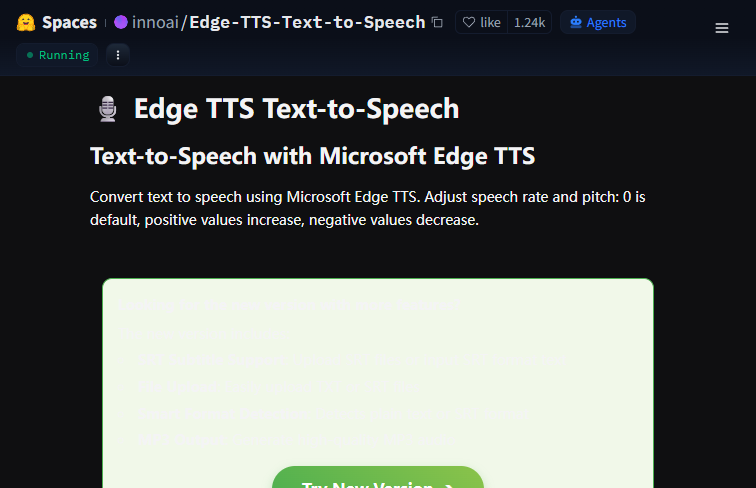 Screenshot
The application is completely free to use.
Summarized from the official site: https://huggingface.co/spaces/innoai/Edge-TTS-Text-to-Speech
Yes, Edge TTS is completely free to use. It provides a cost-effective text-to-speech solution without a premium price tag.
No, you do not need any programming background to use this tool. It features a completely no-code, user-friendly interface where you simply input text and select your settings.
No, you cannot use Edge TTS offline. Both the user interface and the audio generation process rely entirely on an active internet connection.
Edge TTS generates high-quality downloadable MP3 files. Once you configure your text and settings, the application processes them into this format.
Yes, you can customize the vocal delivery using adjustable speech rate and pitch settings. This allows you to fine-tune the tone to match your project's mood.
A free, self-hosted AI studio with 200+ unfiltered

Objective, community-driven leaderboard for text-t

Optimize and secure AI coding agents with this ope

Generate highly realistic AI images from text with