
A free, self-hosted AI studio with 200+ unfiltered
Open Sourceaivideoimageself-hosted
Free
Video & Animation
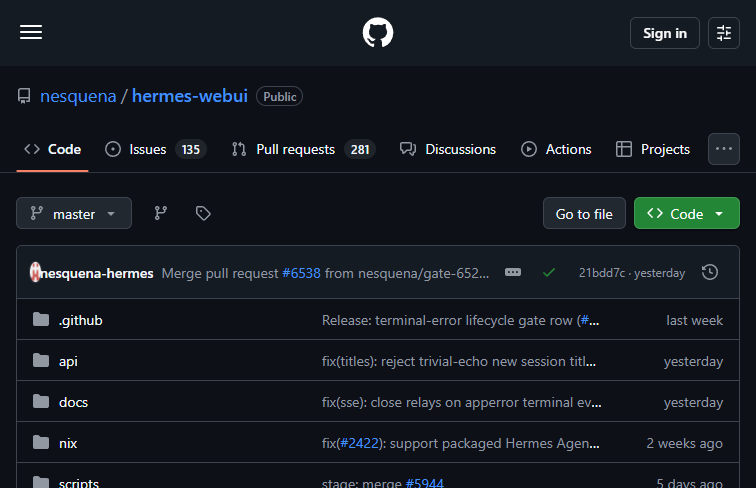
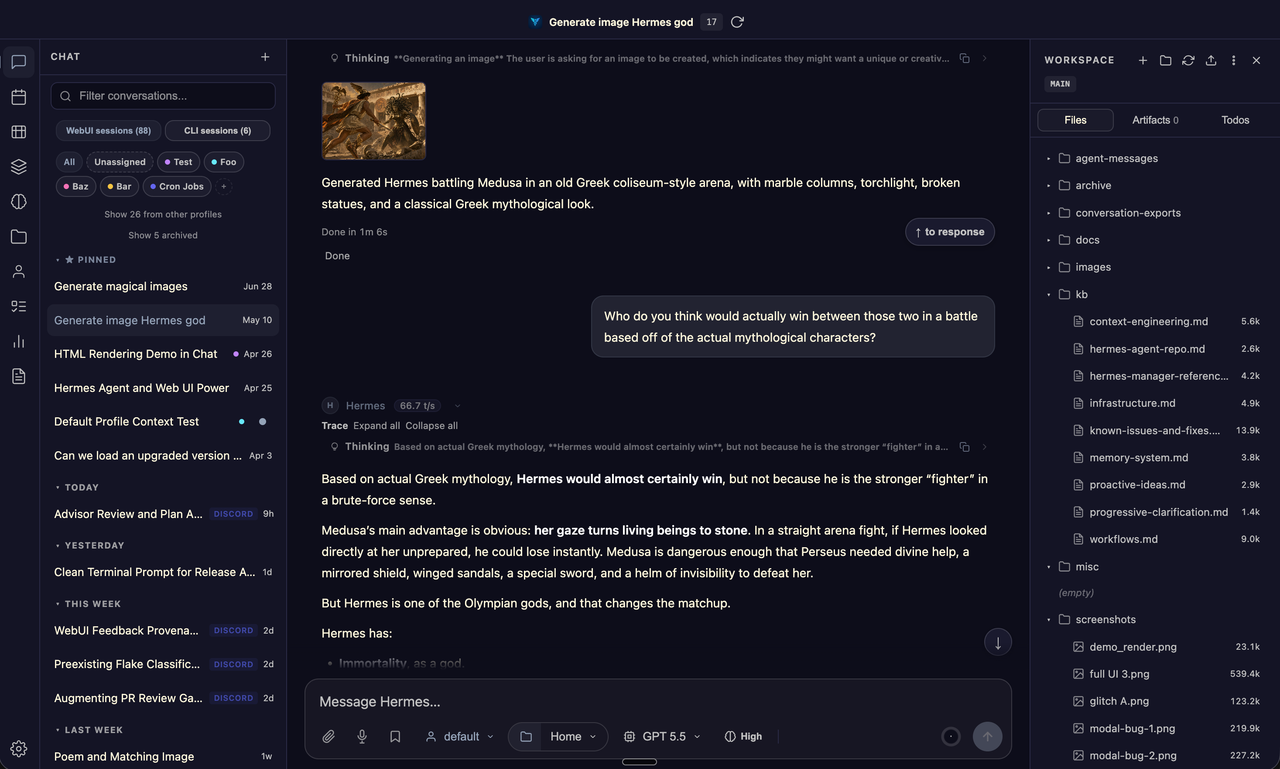
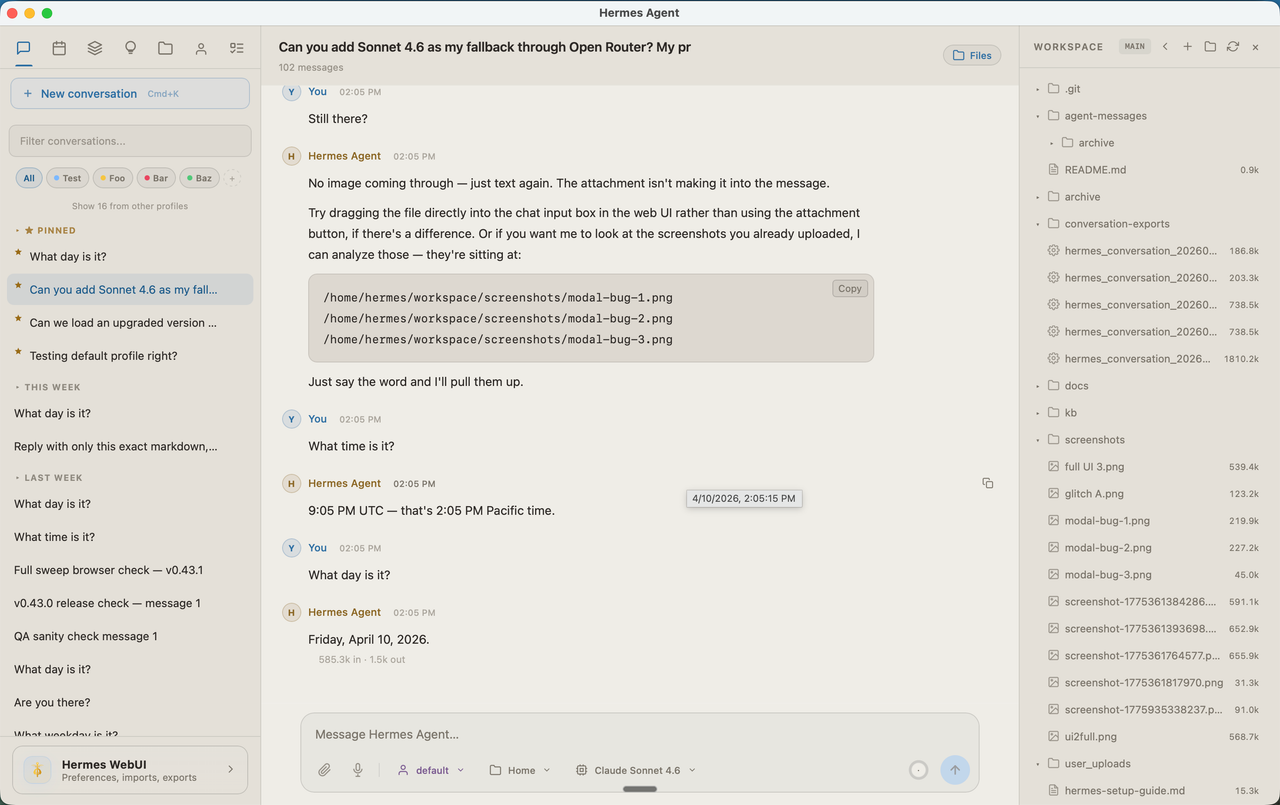
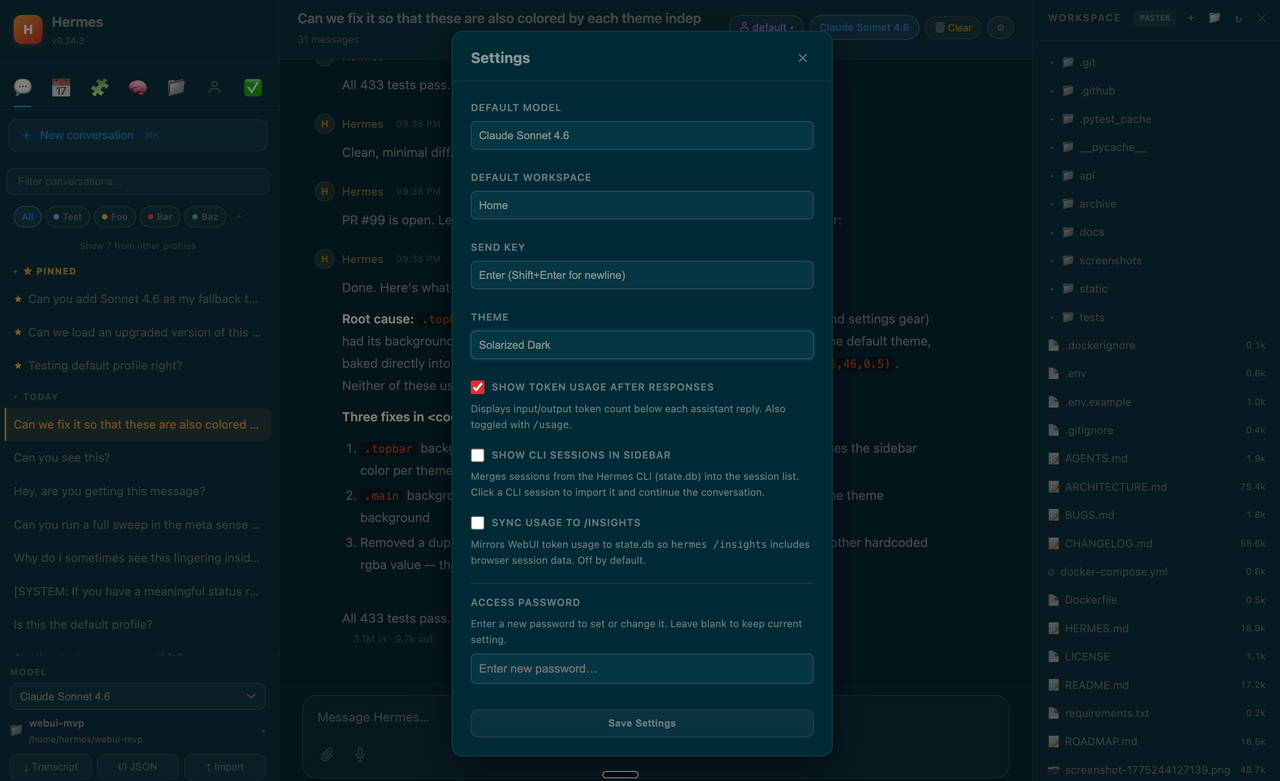
Hermes WebUI is an exceptionally robust, open-source interface designed specifically to bridge the gap between complex AI automation and everyday user accessibility. At its core, this innovative tool serves as the premier dashboard for managing and interacting with Hermes Agent tasks. Whether you are a developer looking to trigger automated workflows from your desktop browser or a professional needing to oversee AI-driven processes while on the go, Hermes WebUI provides a seamless, unified experience across both web and mobile platforms.
What immediately stands out about Hermes WebUI is its impressive community backing, evidenced by over 16,000 stars on GitHub. This high level of engagement not only signifies the tool's reliability and popularity within the developer ecosystem but also ensures a strong support network. The architecture is built upon a powerful open-source Python backend, allowing technical users the freedom to inspect, modify, and tailor the system to their specific operational requirements. This Python foundation guarantees that the software remains highly flexible and adaptable for a wide variety of custom AI deployments.
The primary utility of Hermes WebUI lies in its comprehensive remote agent management capabilities. Traditionally, interacting with and monitoring automated AI agents requires sitting at a terminal or being tethered to a specific server environment. Hermes WebUI shatters this limitation by allowing users to access, manage, and direct their automated workflows from virtually any modern web browser or mobile device. This means that complex Hermes Agent tasks can be initiated, monitored, and adjusted in real-time, regardless of the user's physical location. Whether you are casually testing AI responses or managing critical, large-scale automated tasks, having a responsive web and mobile interface dramatically streamlines the entire workflow.
However, it is important to note that this tool is built with a technically inclined audience in mind. The most significant barrier to entry is that Hermes WebUI requires self-hosting and manual setup. Unlike commercial, out-of-the-box SaaS solutions, users will need to provision their own servers, configure the Python environment, and manage the deployment themselves. While this requires a certain level of technical proficiency, the trade-off is absolute control over your data and execution environments.
In summary, Hermes WebUI is an indispensable asset for developers and technically savvy users who already rely on the Hermes ecosystem. By offering a completely free, community-driven platform for mobile and web access, it effectively democratizes the management of remote AI agents. If you have the technical chops to navigate a self-hosted setup, Hermes WebUI will undoubtedly elevate how you interact with your automated workflows on a daily basis.
 Screenshot
 image
image
 image
image
 image
image
As an open-source project hosted on GitHub, Hermes WebUI is completely free to use.
Summarized from the official site: https://github.com/nesquena/hermes-webui
Yes, Hermes WebUI is a completely free, community-driven platform. This is part of what makes it an indispensable asset for developers looking to manage remote AI agents.
Yes, it is an open-source interface built upon a powerful Python backend. This architecture allows technical users the freedom to inspect, modify, and tailor the system to their specific requirements.
Hermes WebUI is used for the remote management and interaction with Hermes Agent tasks. It allows you to access, monitor, and direct automated AI workflows from virtually any modern web browser or mobile device.
Yes, Hermes WebUI requires self-hosting and manual setup. You will need to provision your own servers and configure the Python environment yourself, which gives you absolute control over your data and execution environments.
Yes, Hermes WebUI provides seamless web and mobile accessibility. This allows you to initiate, monitor, and adjust complex automated tasks in real-time regardless of your physical location.
A free, self-hosted AI studio with 200+ unfiltered

Optimize and secure AI coding agents with this ope

Generate highly realistic AI images from text with

Advanced, safe AI assistant by Anthropic for coding, writing, and analysis.