

A free, self-hosted AI studio with 200+ unfiltered
Open Sourceaivideoimageself-hosted
Free
Video & Animation
Humanizer is a clever open-source tool that tackles a growing problem: AI-generated text often feels impersonal, repetitive, and robotic, making it easy for readers—and detection algorithms—to spot. Designed as a skill for the Claude Code environment, Humanizer acts like a stylistic editor that rewites machine-written prose to sound more human. Whether you’re a content creator looking to polish blog posts, an academic trying to refine AI-assisted drafts without triggering integrity checks, a marketer aiming for authentic social media copy, or a developer building automated content pipelines, Humanizer offers a straightforward way to inject natural variability into text.
At its core, Humanizer works by analyzing the linguistic fingerprints of AI writing. It detects overused phrases, mechanical transitions, unnatural consistency in tone, and a lack of the minor imperfections that characterize human writing. It then applies nuanced modifications—reordering sentences, replacing stiff vocabulary with colloquial alternatives, adjusting sentence length, and introducing subtle variations in structure. The result is text that reads less like a template and more like something a person might actually write.
One of Humanizer’s biggest strengths is its deep integration with Claude Code. Installation is as simple as adding a skill, and once configured, it can be invoked directly within your workflow. This tight coupling means you don’t need to copy-paste between apps or rely on external APIs; everything stays in your local or cloud-based Claude environment. The open-source nature, backed by a GitHub repository with over 29,000 stars, brings transparency and community-driven improvements. Users can fork the project, tweak the rewriting logic, or customize it for specific writing styles—whether you want a more formal academic tone or a casual, conversational feel.
However, Humanizer isn’t a magic bullet. It requires users to be comfortable with the Claude Code setup, which might deter less technical folks. And while it significantly reduces the robotic hallmarks of AI text, it doesn’t guarantee that all AI detectors will be fooled. The effectiveness depends on the original text and the detection tool; in some cases, a human editor’s touch is still needed. The tool is also relatively new, so documentation and community plugins are still maturing.
Despite these caveats, Humanizer fills a valuable niche. It leverages the power of Claude’s language understanding to refine output in a way that feels integrated and efficient. For anyone already using Claude Code for writing tasks, it’s a near-essential addition that saves time and elevates the quality of AI-assisted content. The active community and open-source license mean it will likely evolve quickly, potentially adding support for more languages, smarter pattern detection, and better customizability. If you’re grappling with AI text that screams “I was written by a machine,” Humanizer is worth a try—just remember it’s a tool for enhancement, not an invisibility cloak.
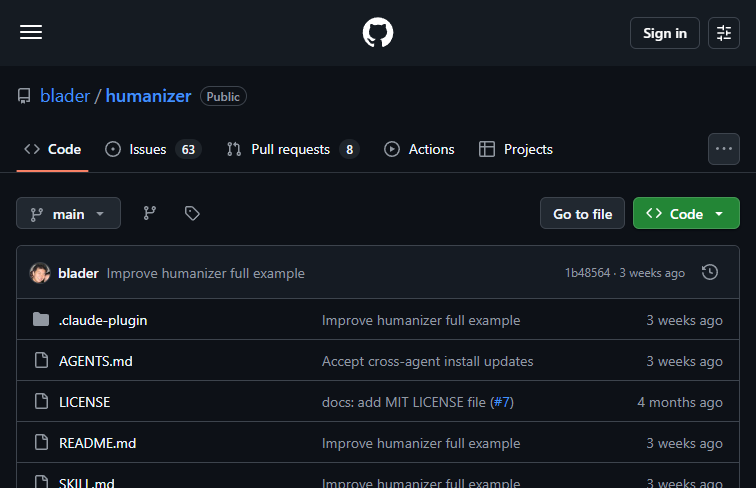 Screenshot
Free to use and open-source on GitHub.
Summarized from the official site: https://github.com/blader/humanizer
Yes, Humanizer is an open-source tool backed by an active GitHub repository. Users can freely fork the project to tweak the rewriting logic or customize it for specific writing styles.
It works by analyzing the linguistic fingerprints of AI writing and applying nuanced modifications. The tool reorders sentences, replaces stiff vocabulary with colloquial alternatives, adjusts sentence lengths, and introduces subtle structural variations.
No, it does not guarantee that all AI detectors will be fooled. While it significantly reduces the robotic hallmarks of AI text, its effectiveness depends on the original text and the specific detection tool used.
No, you do not need to copy-paste between apps or rely on external APIs. Because it is deeply integrated as a skill within the Claude Code environment, everything stays directly in your local or cloud-based workflow.
No, it might deter less technical folks because it requires users to be comfortable with the Claude Code setup. Additionally, as a relatively new tool, its documentation and community plugins are still maturing.
A free, self-hosted AI studio with 200+ unfiltered

Objective, community-driven leaderboard for text-t

Optimize and secure AI coding agents with this ope

Generate highly realistic AI images from text with