
A free, self-hosted AI studio with 200+ unfiltered
Open Sourceaivideoimageself-hosted
Free
Video & Animation
Libretto is an open-source developer tool that addresses one of the most frustrating challenges in modern technology: the inherent flakiness of AI-driven browser automation. While AI agents and large language models have made it incredibly easy to generate code for web scraping or application testing, these scripts often fail in real-world scenarios. They break easily due to slight changes in page load times, DOM updates, or unpredictable UI shifts. Libretto solves this problem by making AI browser automations deterministic and reliable. As a platform designed for developers, it bridges the gap between the flexibility of AI web agents and the strict predictability required for production-level automated testing and data extraction. The core strength of Libretto lies in its ability to eliminate automation flakiness. Traditional automation scripts often require constant manual updates and brittle selectors to navigate complex, multi-step web interactions. By contrast, Libretto ensures reliable web agent execution, allowing developers to build predictable workflows that run exactly as intended every single time. Whether you are automating repetitive browsing tasks, executing complex multi-step web interactions, or building robust web scraping pipelines, this tool provides the necessary framework to keep your AI agents on track. This makes it particularly valuable for QA engineers and developers looking to test web applications utilizing AI agents, ensuring that tests are both intelligent and stable. Because it is a free, open-source platform accessible via GitHub, Libretto is highly transparent and customizable. Development teams can easily integrate it into their existing tech stacks without worrying about restrictive proprietary licenses or recurring subscription costs. However, it is important to note that Libretto is built for a technical audience. Setting it up and integrating it effectively into your workflows requires solid technical knowledge, making it less suited for non-technical users seeking a simple, plug-and-play automation solution. Originating from discussions in the tech community—specifically highlighted on platforms like Hacker News—Libretto has quickly gained traction among developers looking for a better way to manage web automation. By combining the adaptive nature of AI with deterministic execution rules, Libretto empowers developers to finally trust their automated workflows, saving hours of debugging and script maintenance. It stands out as a must-try utility for any technical team looking to bring genuine reliability to their AI browser automation pipelines.
 Screenshot
 image
image
Libretto is open-source and available for free.
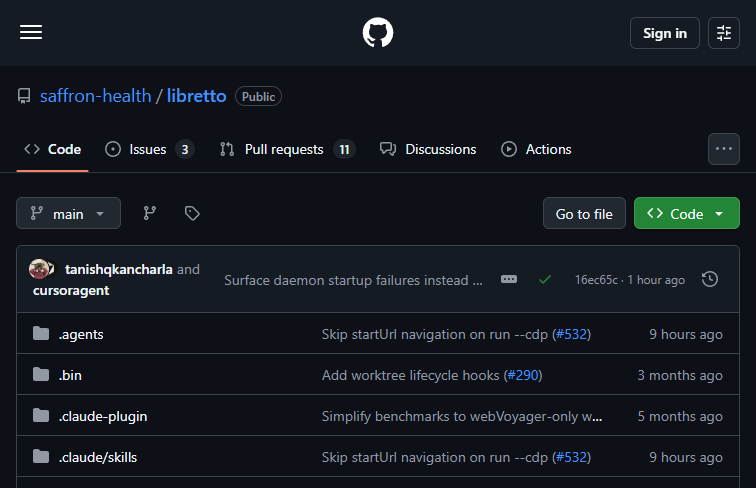
Summarized from the official site: https://github.com/saffron-health/libretto
Libretto is an open-source tool designed to make AI browser automations deterministic. It ensures that automated browser tasks run predictably and reliably.
Yes, Libretto is an open-source project. Its code is publicly hosted on GitHub by the saffron-health organization.
Yes, it is free to use. As an open-source tool, it can be accessed and deployed directly from its GitHub repository.
A free, self-hosted AI studio with 200+ unfiltered

Objective, community-driven leaderboard for text-t

Optimize and secure AI coding agents with this ope

Generate highly realistic AI images from text with