

A free, self-hosted AI studio with 200+ unfiltered
Open Sourceaivideoimageself-hosted
Free
Video & Animation
MCP-B is an innovative, open-source protocol designed to bridge the gap between AI agents and standard web browsers. As AI models increasingly take on complex automation tasks, interacting with the dynamic and often unpredictable Document Object Model (DOM) of modern web pages remains a significant challenge. MCP-B solves this by introducing WebMCP packages and a dedicated browser extension that facilitate structured communication between Large Language Models (LLMs) and web applications. Instead of relying on traditional web scraping or simulated mouse clicks that easily break when a website's layout changes, MCP-B enables developers to publish and call tools directly on the web. This allows AI agents to interact with web pages in a highly structured, programmatic, and reliable manner.
The core strength of MCP-B lies in its ability to enable structured AI agent interaction with web apps. For developers, this means you can build web-based tools specifically designed for AI models to use, effectively turning static web pages into actionable environments. The workflow is powered by open-source WebMCP packages alongside a browser extension built for seamless tool integration. Once implemented, AI agents can execute precise commands, retrieve specific data, and automate complex browser tasks without the brittleness of standard macro recorders or vision-based web traversal. Whether you are looking to automate repetitive browser workflows, extract deep data, or enhance the general web browsing experience with AI-driven commands, MCP-B provides the necessary infrastructure.
This tool is explicitly tailored for developers and technical users who want to push the boundaries of AI automation. However, it is important to note that MCP-B is not a plug-and-play consumer application. Implementing and configuring the WebMCP packages requires a solid foundational understanding of programming and network protocols. Non-technical users might find the setup process daunting, as maximizing its potential involves writing custom integrations and understanding how to expose web tools for AI consumption safely. Despite this barrier to entry, the payoff is immense for engineering teams and solo developers. By facilitating a reliable handshake between AI agents and standard web browsers, MCP-B eliminates the fragile hacks typically associated with web automation. It empowers developers to build robust, next-generation AI assistants that can securely navigate, understand, and manipulate the web. Ultimately, MCP-B stands out as a foundational piece of infrastructure for anyone serious about building highly capable, web-native AI applications.
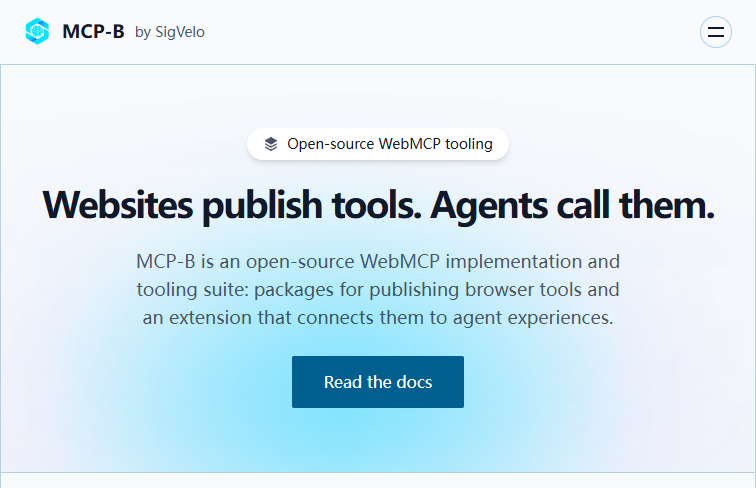 Screenshot
The tool is completely free and open-source.
Summarized from the official site: https://mcp-b.ai/
MCP-B is an open-source protocol that enables structured communication between AI agents and standard web browsers. It uses WebMCP packages and a browser extension to let AI models interact with web pages reliably without relying on fragile web scraping.
Yes, MCP-B is an open-source protocol. Its workflow is powered by open-source WebMCP packages alongside a dedicated browser extension for seamless tool integration.
No, MCP-B is not a plug-and-play consumer application and is explicitly tailored for developers and technical users. Implementing and configuring it requires a solid foundational understanding of programming, network protocols, and writing custom integrations.
MCP-B allows developers to publish and call tools directly on the web so AI agents can execute precise commands and retrieve specific data. This programmatic approach prevents automations from breaking when a website's layout changes, which is common with simulated mouse clicks or vision-based traversal.
A free, self-hosted AI studio with 200+ unfiltered

Objective, community-driven leaderboard for text-t

Optimize and secure AI coding agents with this ope

Generate highly realistic AI images from text with