
A free, self-hosted AI studio with 200+ unfiltered
Open Sourceaivideoimageself-hosted
Free
Video & Animation
Next-gen Kaldi TTS is a powerful, open-source text-to-speech application hosted on Hugging Face Spaces that transforms written text into high-quality spoken WAV audio files. Powered by the Next-gen Kaldi framework, this tool provides an accessible yet highly capable platform for a variety of audio generation needs. It operates through a user-friendly Gradio web interface, allowing users to easily input text and receive synthesized speech without needing to set up complex local environments. What makes this tool particularly compelling is its support for multiple languages and various TTS models, making it a versatile choice for global applications. Beyond standard text-to-speech conversion, Next-gen Kaldi TTS offers advanced voice cloning capabilities. By utilizing custom reference audio recordings, users can experiment with creating highly personalized, cloned voices. This feature makes the platform an excellent sandbox for developers and creators looking to test custom speech synthesis pipelines. The tool serves a broad spectrum of practical use cases. Content creators can seamlessly generate voiceovers for videos or presentations, saving both time and production costs. Additionally, the application is a fantastic resource for enhancing digital accessibility, allowing users to convert written articles or documents into easily consumable audio content. Because it is completely free and open-source, it significantly lowers the barrier to entry for individuals and organizations wanting to explore advanced speech technologies. However, there are a few limitations to keep in mind. Because it is hosted as an online web application, an active internet connection is strictly required to access the service, meaning offline functionality is unavailable. Furthermore, users are currently limited to the specific TTS models hosted directly within the application, which may restrict those looking to integrate highly specialized or proprietary voice models. Despite these minor constraints, Next-gen Kaldi TTS remains a standout resource in the audio and music category. Whether you are a developer experimenting with AI voice cloning using custom reference clips, an educator aiming to make learning materials more accessible, or a video creator in need of rapid, cost-effective narration, this Hugging Face Space provides an excellent and fully free suite of tools to accomplish your goals.
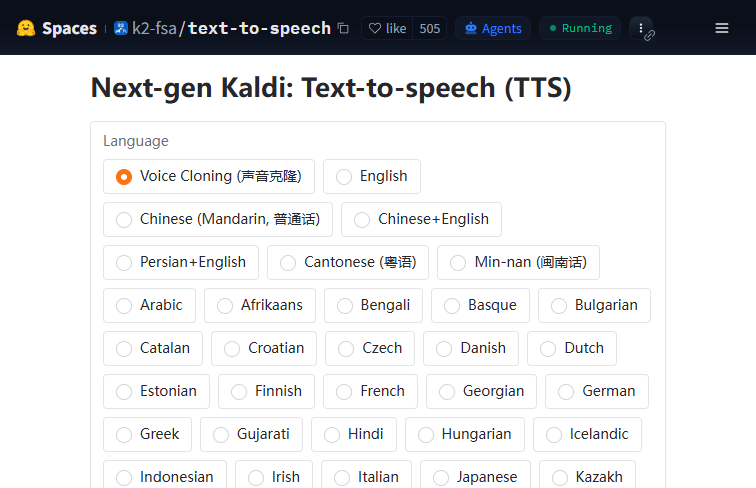 Screenshot
The application is completely free to use on Hugging Face Spaces.
Summarized from the official site: https://huggingface.co/spaces/k2-fsa/text-to-speech
Yes, the application is completely free to use. It is hosted on Hugging Face Spaces and is entirely open-source.
No, an active internet connection is strictly required to access the service. Because it is hosted as an online web application, offline functionality is unavailable.
Yes, the tool offers advanced voice cloning capabilities. Users can utilize custom reference audio recordings to create highly personalized, cloned voices.
No, you do not need to set up a complex local environment. It operates through a user-friendly Gradio web interface directly hosted on Hugging Face Spaces.
The tool outputs high-quality spoken WAV audio files. It transforms your written text input into this format for easy use.
A free, self-hosted AI studio with 200+ unfiltered

Objective, community-driven leaderboard for text-t

Optimize and secure AI coding agents with this ope

Generate highly realistic AI images from text with