
A free, self-hosted AI studio with 200+ unfiltered
Open Sourceaivideoimageself-hosted
Free
Video & Animation
The "voice-cloning" space hosted by nateraw on Hugging Face is a fascinating, accessible entry point into the world of AI audio generation. As the demand for synthetic audio continues to grow across various digital sectors, having a free, open-source platform to experiment with voice generation is incredibly valuable. Built using the Gradio software development kit, this web-based tool strips away the complex overhead often associated with machine learning models, presenting users with a highly intuitive and simple interface. It is designed for content creators, developers, and tech enthusiasts who want to explore synthetic voice generation without committing to expensive software subscriptions or navigating complicated programming environments. The tool works by allowing users to input a target voice, which can be done either by directly recording audio via a connected microphone or by uploading a pre-existing audio file. Once the reference audio is provided, the AI processes the input to clone the vocal characteristics. What makes this Hugging Face Space particularly noteworthy are its customization options. Users are not just given a static output; instead, the platform features adjustable pitch settings and customizable noise levels. This allows for meticulous fine-tuning, ensuring that the resulting synthetic audio meets the specific tonal requirements of a project. For instance, a user can tweak the parameters to create a warmer, deeper voiceover for a cinematic video, or adjust the noise levels to experiment with different audio textures for accessibility tools. While it is incredibly powerful for a free utility, it is important to acknowledge its limitations. The space is inherently restricted to the specific voice cloning model implemented by the developer. Unlike premium, enterprise-grade voice generation suites that might offer a vast library of celebrity voices or support for dozens of languages out of the box, this tool is heavily reliant on the capabilities and constraints of its underlying open-source model. However, for its intended purpose, it performs exceptionally well. Whether you are producing audio content that requires customized voice tones, generating synthetic speech for accessibility applications, or simply experimenting with the cutting edge of AI voice generation, this tool offers a robust and entirely free sandbox. The open-source nature of the project further enhances its appeal, providing transparency and giving developers the opportunity to understand exactly how the audio generation is being handled. In summary, nateraw's voice-cloning space is a highly effective, customizable, and user-friendly tool that democratizes access to advanced AI voice synthesis.
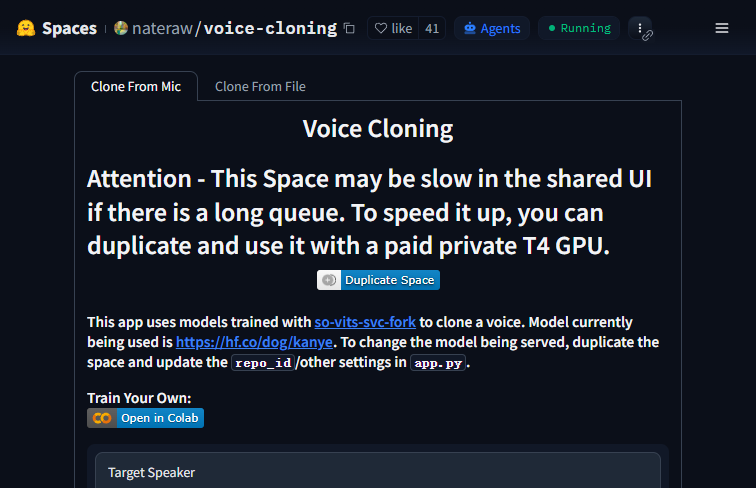 Screenshot
The application is hosted on Hugging Face Spaces and is available to use for free.
Summarized from the official site: https://huggingface.co/spaces/nateraw/voice-cloning
It is an AI application that allows you to clone voices using audio input from a microphone or an uploaded file. You can also adjust pitch and noise levels to customize the resulting voice output.
Yes, the application is completely free to use. It is hosted as a public Space on the Hugging Face platform.
Yes, the application is open-source and operates under the MIT license. It was created and shared by developer Nate Raw.
A free, self-hosted AI studio with 200+ unfiltered

Objective, community-driven leaderboard for text-t

Optimize and secure AI coding agents with this ope

Generate highly realistic AI images from text with