
A free, self-hosted AI studio with 200+ unfiltered
Open Sourceaivideoimageself-hosted
Free
Video & Animation
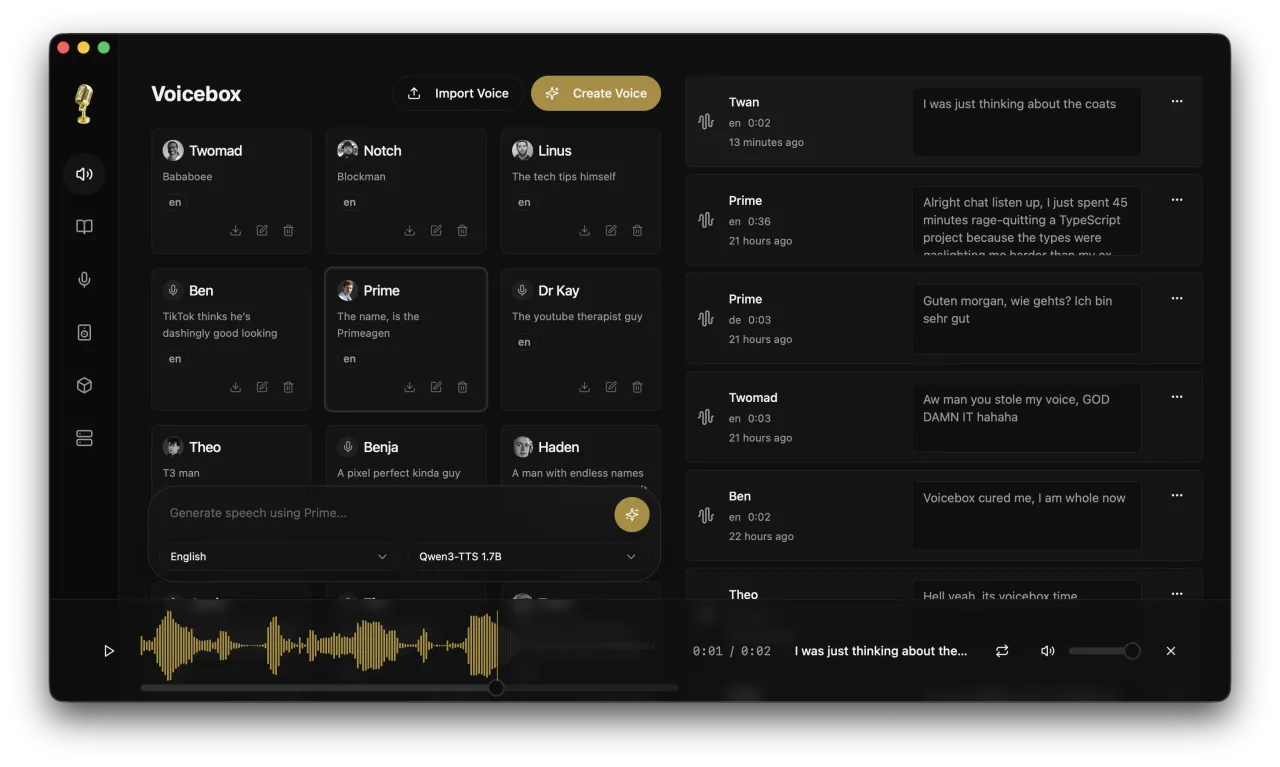
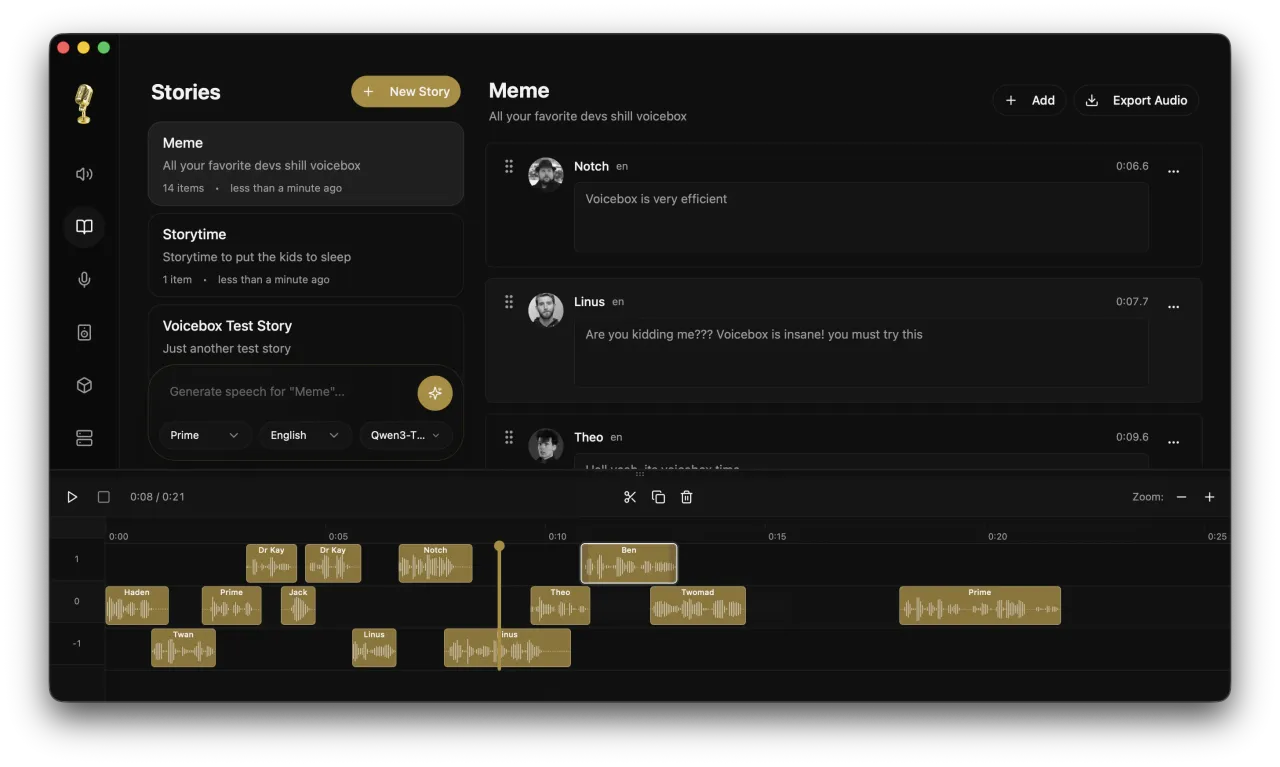
In the rapidly evolving landscape of artificial intelligence, finding a comprehensive audio solution that is both powerful and genuinely free can be a challenge. Enter Voicebox, an open-source AI voice studio that has been making significant waves in the developer community. Hosted on GitHub and boasting an impressive number of stars, this TypeScript-based architecture provides a robust foundation for developers and tech-savvy creators looking to harness advanced audio generation without the burden of subscription fees or proprietary lock-ins. At its core, Voicebox functions as a highly versatile audio and music tool designed to give users complete control over their vocal outputs. The platform offers three primary capabilities: advanced voice cloning, AI dictation, and high-quality text-to-speech generation. This means that whether you are looking to generate realistic voiceovers for a series of YouTube videos or podcasts, or you need to build accessibility tools such as dictation software directly into your applications, Voicebox provides the underlying technology to make it happen. Furthermore, the ability to clone specific voices opens up entirely new possibilities for creating highly personalized digital assistants that sound exactly how you want them to. Unlike many commercial AI tools that offer a watered-down, browser-based interface, Voicebox is built for serious technical implementation. Because it is an open-source project deployed directly from its GitHub repository, users have the flexibility to modify, scale, and integrate the tool into their own unique workflows. This makes it an ideal choice for software engineers, independent developers, and tech-enthusiast content creators who value data privacy and customizability. One of the most significant advantages of Voicebox is its strong community backing. A highly popular and active GitHub repository means that developers have access to a wealth of shared knowledge, frequent updates, and collaborative troubleshooting, ensuring that the software remains on the cutting edge of AI audio technology. However, this technically robust nature does come with a notable trade-off. Setting up and deploying Voicebox locally requires a fair amount of technical knowledge. Users will need to be comfortable navigating GitHub environments, handling dependencies, and potentially managing their own compute resources. It is not a simple plug-and-play application for the average non-technical user. Despite this barrier to entry, the payoff is immense. By eliminating the high costs typically associated with commercial AI voice cloning studios, Voicebox democratizes access to high-end audio generation tools, allowing anyone with the necessary technical chops to build professional-grade vocal experiences completely for free.
 image
image
 image
image
 image
image
Voicebox is completely free and open-source, allowing users to utilize and modify the software without any cost.
Summarized from the official site: https://github.com/jamiepine/voicebox
Yes, Voicebox is completely free to use. It is an open-source AI voice studio that eliminates the subscription fees and high costs typically associated with commercial audio generation tools.
Yes, Voicebox is an open-source project hosted on GitHub. This allows developers to freely modify, scale, and integrate the tool into their own custom workflows without proprietary lock-ins.
Voicebox is used for advanced voice cloning, AI dictation, and high-quality text-to-speech generation. You can use it to generate voiceovers for videos, build accessibility tools, or create personalized digital assistants.
No, Voicebox is not a plug-and-play application for average non-technical users. Setting it up locally requires technical knowledge, including navigating GitHub environments, handling dependencies, and managing compute resources.
A free, self-hosted AI studio with 200+ unfiltered

Objective, community-driven leaderboard for text-t

Optimize and secure AI coding agents with this ope

Generate highly realistic AI images from text with